
Shopping process
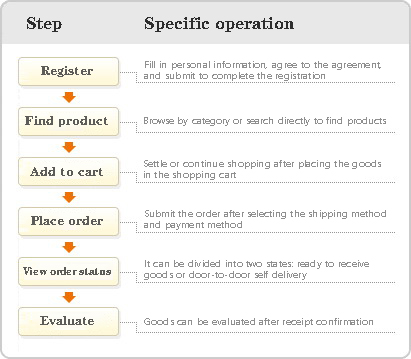
Order placing procedure:
1. Browse the products you want to purchase,click“add to cart”,The product will be automatically added to the shopping cart;
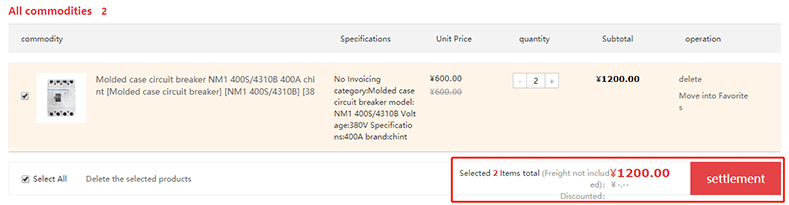
2. If you need to change the product quantity,You need to enter the purchase quantity in the commodity quantity box;(As shown below)

3.Click after selecting the goods“To settle”;(As shown below)
4.Fill in the consignee information in detail、Payment method、Invoice information,Check the delivery list and other information;(As shown below)
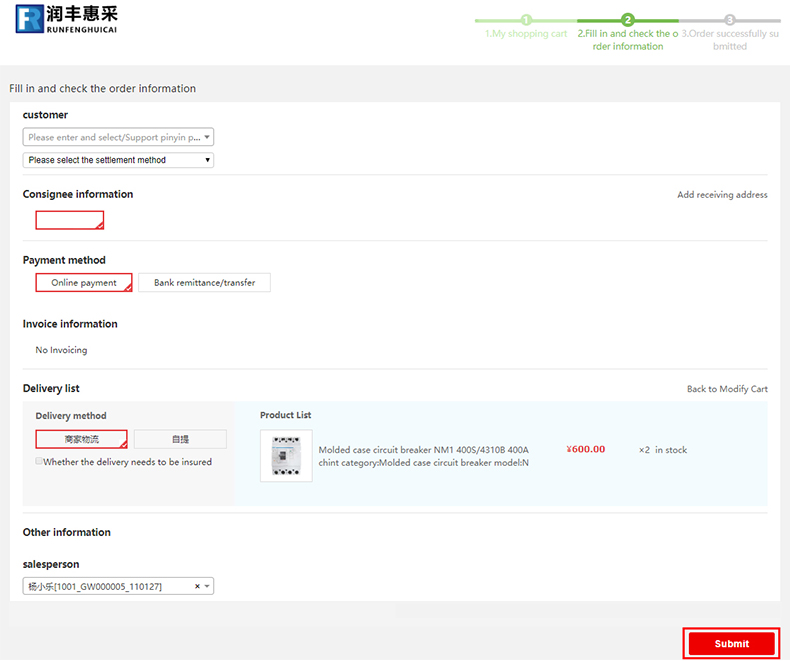
5.Click after confirmation“place order”,Generate a new order and display the order number;
6.View Order Details:Accessible“My Runfeng”→“Order Center”see。
2019/1/14